

Why Matching an Invoice Isn't Enough — It Has to Block the Payment Too
Published by
Fido
on
Most AP automation conversations stop at matching. Vendors talk about capture accuracy, match rates, and exception workflows. Those things matter. But there's a control gap that gets far less attention: what happens between the moment an invoice is matched and the moment the payment actually goes out.
The Assumption Built Into Most AP Stacks
The standard pitch for AP automation goes like this: automate capture, match to the PO, route exceptions, post the invoice. The implicit assumption is that a matched and posted invoice is a safe invoice to pay.
That assumption doesn't always hold.
An invoice can pass matching and still carry problems that surface later. A vendor's banking details change between the match and the payment run. A duplicate invoice enters the system through a different channel after the original was already matched and posted. A payment batch gets assembled and sent before someone catches a last-minute hold.
Matching validates what happened in the past. Payment is a future action taken at a different point in time. Treating them as a single control leaves a window open between the two.
What That Gap Looks Like in Practice
Take a typical BC environment where invoice matching and payment run through connected but separate tools.
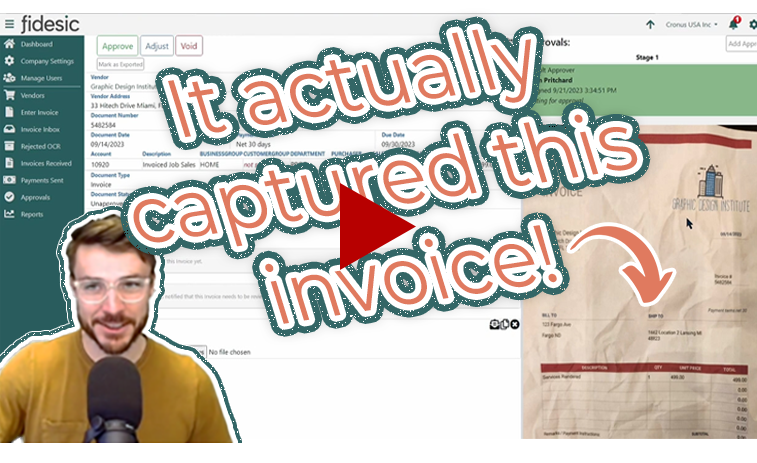
An invoice is received, captured, matched, approved, and posted in BC or in an AP automation tool connected to it. At some point, a payment run pulls from the vendor ledger. That payment run doesn't usually re-check whether anything has changed since the invoice was posted. It doesn't independently verify the vendor's bank account details were current at the moment of payment, and it doesn't necessarily apply a rule requiring a specific approval chain to have completed before funds release.
The AP tool and the payment tool are often different products sharing data through BC. They pass information to each other, but they don't necessarily share enforcement. One system validated the invoice. A separate system sends the money.
This is where vendor banking fraud tends to succeed: a bad actor impersonates a supplier and updates payment routing information, and the payment step has no independent way to catch that the invoice was cleared under one set of banking details and is now paying out to another. This is a well-documented pattern in business email compromise and vendor impersonation fraud generally, not unique to any single AP stack.
Why This Is Hard to Solve With a Connector
Much of this gap exists because most AP automation vendors build matching tools, and most payment vendors build disbursement tools. Products that connect the two typically do so by passing a status flag: invoice cleared, proceed to pay.
A status flag can tell a payment system that something happened. It can't tell that system whether the conditions behind that status are still true at the moment of payment. If a connector-based setup wants to close that gap, it usually has to build the check manually, through a secondary approval step, a manual bank-change verification process, or a positive pay review. That works, but it depends on someone remembering to run it every time, rather than the system enforcing it automatically.
What a Closed-Loop Control Actually Means
A meaningful payment control isn't just a matching status. It's a check that runs at the point of payment execution, not just at the point of posting.
In practice, that means checking whether the conditions that cleared the invoice are still true right before money moves, not only whether the invoice carries a "matched" flag. Whether that check happens automatically or depends on a person remembering to run it is the real difference between a connected workflow and a closed-loop one.
How Fidesic Approaches This
Fidesic offers both sides of this workflow under one product family. MagiCapture handles capture, matching, and exception routing inside Business Central. JustPay handles payment fulfillment, including encrypted ACH and check disbursement with Positive Pay, payments from multiple accounts across locations, and an optional payment approval workflow layered on top of the AP approval chain.
Because both pieces sit inside the same product family, the connection between "this invoice was approved" and "this payment is releasing" doesn't depend on a data feed between two separate vendors. For example, a mid-size distributor running MagiCapture and JustPay together can route a payment through its Positive Pay and multi-step approval settings before funds release, rather than relying on a manual review step layered on top of a status flag passed from a third-party matching tool.
That's a real architectural difference from a stitched-together setup. It's worth noting, though, that manual controls, like a dedicated bank-change verification step or a required secondary sign-off before a payment batch runs, can mitigate much of this same risk in a connector-based environment. The difference is whether that protection is enforced by the system or depends on someone remembering to do it every time.
The Control That Actually Protects the Business
Finance leaders implementing AP automation are usually solving for two things at once: efficiency and control. It's easy to treat the approval workflow as the whole control and consider the job done once an invoice is approved.
That framing misses part of the picture. The approval workflow controls the invoice. A payment gate controls the cash. Those aren't the same thing, and protecting the cash means paying attention to the moment it actually moves, not just the moment the invoice was cleared.
For companies running AP automation without an enforced connection between matching and payment execution, that handoff is worth a second look, whether the fix is a system that owns both sides or a manual control built to cover the same window.