
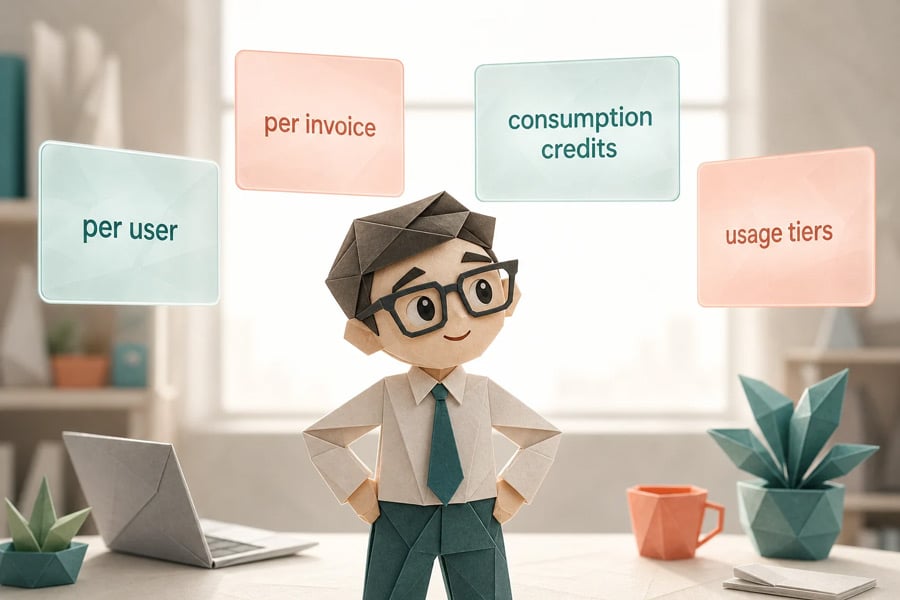
There’s a lot of reasons a company chooses one AP automation solution over another. One of the top reasons is pricing. But when it comes to financial software, pricing doesn’t simply mean cost. The pricing models vary from one platform to another. One tool bills per user, another per invoice, another in credits and another only after a sales call. Two quotes that look similar in year one can look very different by year three.
This guide gives some quick reference info on some of the common AP automation pricing models to help you better understand them as you shop for your new solution.
Related: Top 5 AI Invoice Data Capture Solutions for Dynamics GP and Business Central
1. Per User Subscription
How it works: A fixed monthly fee for each person using the system. Some vendors price roles differently, with full admins costing more than approvers who only review and sign off.
Best for: Teams with steady or growing invoice volume and a stable number of AP staff. Even better for multi-location organizations who have a lot of widespread approvers and a few corporate accountants in AP.
Pros
- Predictable monthly cost that is easy to budget
- Growth in invoice volume does not increase the subscription
- Simple to compare across vendors
- Role based tiers keep approver costs low
Cons
- Cost rises as more people need access
- Can feel expensive for very small teams processing few invoices
2. Per Invoice or Per Transaction Only
How it works: A charge for each invoice processed or each payment sent. Some vendors combine a base fee with per transaction charges. However it is important to note that most user-based subscriptions charge nominal transaction fees on top of user subscription. If a vendor is only charging per transaction or per invoice, then each invoice will have a higher cost per invoice than a user subscription model.
Best for: Small organizations with low or highly seasonal invoice volume.
Pros
- Low entry cost
- Pay only for actual usage
- Easy to justify for small pilots
Cons
- Monthly cost is hard to forecast
- Growth drives cost up directly
- Exceptions, duplicates and resubmitted invoices may still count toward charges
3. Usage Tiers and Document Bundles
How it works: A monthly fee that covers a set number of documents, with automatic step ups when usage crosses a threshold. Some vendors sell annual bundles of pages or documents instead.
Best for: Mid sized teams with a reasonably consistent document count.
Pros
- More predictable than pure per invoice pricing
- Often no charge for additional users or companies
- Scales automatically with the business
Cons
- Tier jumps can surprise finance teams
- Definitions matter, since vendors count documents, pages or registrations differently
- Unused allowance usually does not roll over
4. Consumption Credits
How it works: A newer model tied to AI agents and copilots. Customers buy or are billed for credits, and each AI action such as reading an invoice or drafting an entry draws down the balance.
Best for: Teams experimenting with AI features inside an ERP they already own.
Pros
- No new software contract for teams already on the platform
- Low barrier to trying AI capabilities
- Pay only when the AI is actually used
- Add users without necessarily increasing cost, though increase in users may increase consumption
Cons
- Hard to predict monthly cost
- Cost per invoice is often unclear until after the fact
- Failed or repeated attempts may still consume credits
- Usually covers a narrow task rather than the full AP process
5. Custom Quote
How it works: No published pricing. Cost is set after a discovery call based on invoice volume, entities, modules, payment methods and integration work. Implementation fees are often separate. A custom quote can be applied to any of the above models.
Best for: Large or complex organizations with multiple entities, unusual workflows or heavy integration needs.
Pros
- Can be tailored to complex requirements
- Room to negotiate on terms and discounts
- Often includes dedicated account management
Cons
- No visibility into cost before sales conversations
- Year one discounts may disappear at renewal
- Implementation and add on modules can inflate total cost
- Makes apples to apples comparison difficult
Quick Comparison
- Most predictable: Per user subscription
- Lowest entry cost: Per invoice
- Best for heavy growth: Per user subscription
- Most flexible for complex needs: Custom quote
- Hardest to forecast: Consumption credits and per transaction
How Fidesic Approaches Pricing
Fidesic uses transparent per user pricing built for AP teams on Microsoft Dynamics GP and Business Central. Fidesic Free supports 1 company, 3 users and 100 invoices per month at no cost, which lets teams test real automation before committing budget. Fidesic Pro is priced per user monthly, and includes unlimited invoices, AI capture, advanced approval routing and ACH or check payments. Organizations with complex multi entity needs can move to Fidesic Enterprise for a dedicated account manager, custom integrations and SLA guarantees.
The result is pricing that stays predictable as invoice volume grows. AP teams get the savings from automation without watching the software bill climb with every new vendor. Explore plans at fidesic.com.