
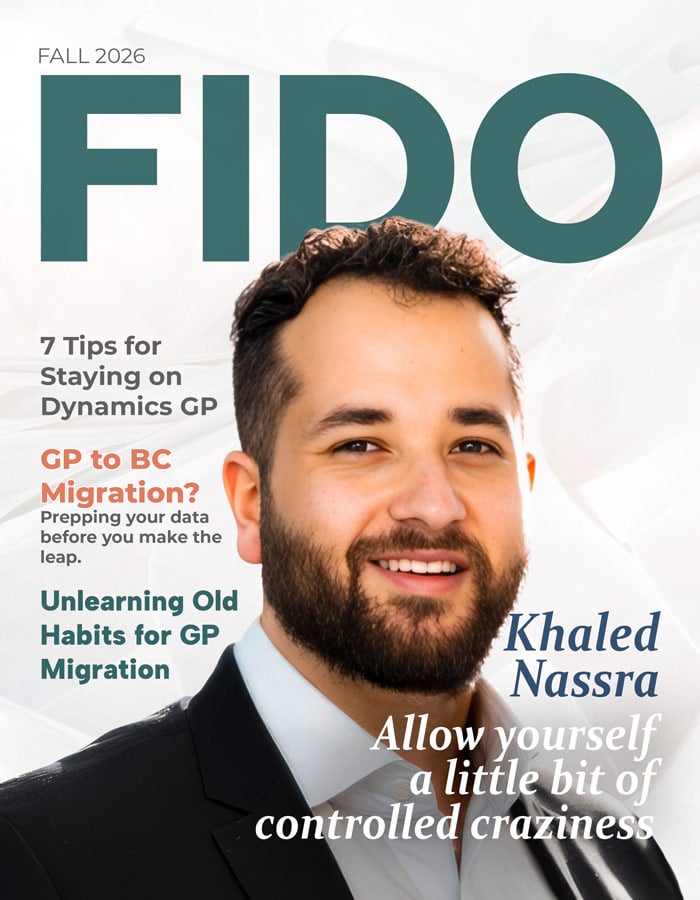

FIDO
Issue No. 3 | Fall 2026
Publisher: Kevin Pritchard
Editor: Carl Robinette
-
Letter From Kevin: by Kevin Pritchard
-
What Dynamics GP Users Need to Unlearn When Moving to Business Central: by Cecile Dinh
-
Agentic Accounting is Here and AP is at the Center: by Carl Robinette
-
Modernizing Dynamics GP Doesn’t Have to Mean Replacing It: by Paige Horne
-
Catching Up with Khaled Nassra: by Carl Robinette
-
The Data Work That Determines Whether Your GP-to-BC Migration Actually Works: by Shannon Mullins
-
Fun & Games Department: Word Search, Comic, Sudoku, Trivia
Letter from Kevin
Hello,
We. Are. Back. We’re excited for another annual issue of Fido Magazine. Every year this community gives us another reason to keep the print tradition alive, and this year’s no different.
What a whirlwind of a year, and for those of you paying attention to the AI space, you know that whirlwind is an understatement. Things are changing rapidly and it feels like we’re finally to the point where we’re ready to have a real conversation about AI: which projects actually deliver value, and which ones were built on excitement instead of substance. The industry number gets thrown around often, that only about five percent of AI initiatives produce measurable return. At Fidesic, that statistic has become something of a north star. We don’t want to be part of the noise. We want to be counted among the five percent that actually works.
That’s the thinking behind what we’re bringing to Summit this year. Rather than a one-size-fits-all AI feature set, we’re offering tailored implementation and process optimization advisory built around how each customer actually operates. That means customizable setups, tailored AI agents built for specific workflows, and prebuilt deliverable agents that get organizations to value faster instead of leaving them to figure it out alone. AI should adapt to the business, not the other way around.
We’ve also seen something we didn’t fully expect this past year: renewed interest in our Dynamics GP offering. Even with so much attention on Business Central and the cloud, GP customers are still out there running critical operations, and they still need tools that respect where they are in their journey. We’re leaning into that. This year we joined Knights of GP, deepening our commitment to a platform and a community that’s been part of our roots from the beginning. At the same time, we remain just as dedicated to bringing better AP tools to Business Central, with the same tailored agent approach guiding both sides of our roadmap.
What ties all of this together is the same conviction. Technology is only as good as the outcome it produces. Tailored beats generic. Advisory beats assumption. And real value beats a flashy demo every time.
Visit us at booth #1005 to see this in action, whether you’re running GP today, living in Business Central, or somewhere in between figuring out what’s next. We want to see your AP processes, hear where AI has actually helped, and talk honestly about where it hasn’t.
This community has always been generous with its knowledge, and that’s exactly what keeps pushing this ecosystem forward. Here’s to another year of building things that actually work.
Looking forward to the conversations ahead!

Sincerely,
Kevin Pritchard
VP of Product and Growth
Fidesic

Follow us on LinkedIn

linkedin.com/company/fidesic
F
or more than 25 years, I’ve worked with Microsoft Dynamics GP. I know the routines that become second nature—the screens you can navigate without thinking, the SmartLists you depend on, the reconciliations you run every month, and the checklist you pull out every December.
Then you move to Business Central.
One of the first questions GP users naturally ask is:
“Where do I do this in Business Central?”
It’s a reasonable question. When you’ve worked in the same ERP system for 10, 15, or even 20 years, you naturally look for the equivalent process in the new system.
But after working with both GP and Business Central, I’ve learned that sometimes that’s the wrong question.
The better question is: “Do I still need to do this at all?”
That small change in thinking can make a big difference in a GP-to-Business Central migration.
A successful migration should not be about rebuilding GP in the cloud. It should be an opportunity to decide which processes still make sense, which ones should change, and which ones can finally be left behind.
Year-End Close Is a Perfect Example
Year-end close is one of those processes GP users know very well.
In Dynamics GP, year-end closing is an event.
Experienced GP users know the preparation that goes into it. You reconcile modules. You review posting accounts. You may run Check Links and Financial Reconcile. You make sure users are out of the system. You take a backup. And eventually, you perform the General Ledger year-end close.
“Successful migration should not be about rebuilding GP in the cloud. It should be an opportunity to decide which processes still make sense, which ones should change, and which ones can finally be left behind.”
There is a certain finality to it.
Business Central approaches year-end differently.
You still have important steps to complete. You close the accounting period and run the Close Income Statement process to transfer income statement balances to retained earnings. But if adjustments need to be posted afterward, Business Central allows you to run the process again.
That difference seems small, but it represents something much bigger.
When a GP user first learns Business Central, the temptation is to take the old GP year-end checklist and ask, “Where is each of these steps in BC?”
Some have equivalents. Some are handled differently. And some simply do not need to exist anymore.
That is when learning a new ERP becomes more than learning new screens.
It becomes unlearning old assumptions.
The Most Expensive GP Customization May Be a Habit
When we talk about migrating from GP, we spend a lot of time discussing customizations.
What Dexterity customizations do you have? Which ISV products are installed? What integrations are running? What reports need to be rebuilt?
Those are important questions.
But there is another type of customization that is much harder to identify.
Habit.
Companies that have used GP for many years have built processes around the system. Some are excellent business controls. Others started as workarounds.
Maybe someone created an Excel spreadsheet 12 years ago because GP couldn’t easily produce the information they needed.
Maybe an approval process requires three emails because there wasn’t a better option at the time.
Maybe the chart of accounts grew because every new reporting requirement resulted in another account segment or another account.
Eventually, nobody asks why.
The answer becomes:
“That’s how we’ve always done it.”
And if we aren’t careful during a migration, those habits become requirements for the new system.
Instead of asking Business Central to solve today’s business problem, we ask Business Central to reproduce yesterday’s solution.
That can be an expensive mistake.
Don't Automatically Rebuild Your GP Chart of Accounts
Dimensions are another good example.
GP users are familiar with segmented account structures. A company may use different segments to identify the natural account, department, location, division, cost center, or other reporting needs.
After years of using GP, that structure feels completely normal.
Then we get to Business Central.
Business Central uses dimensions extensively for financial analysis and reporting. That creates an opportunity to rethink what truly belongs in the G/L account and what should be tracked as a dimension.
But I've seen the natural instinct:
“We need the Business Central chart of accounts to look exactly like GP.”
Maybe you do.
But before making that decision, ask why.
What information does the account number need to represent? What information is there primarily for reporting? Could dimensions provide more flexibility without creating hundreds or thousands of G/L accounts?
The goal isn't to change the chart of accounts simply because you're moving to Business Central.
The goal is to avoid carrying unnecessary complexity forward just because it is familiar.
“Business Central uses dimensions extensively for financial analysis and reporting. That creates an opportunity to rethink what truly belongs in the G/L account and what should be tracked as a dimension.”
Don't Rebuild Every Report Either
The same principle applies to reporting.
Long-time GP customers often have years of reports.
SmartLists. Management Reporter reports. Excel workbooks. SQL reports. Custom reports. And sometimes there are reports that one person created years ago that everyone is afraid to delete.
During migration, the list often becomes:
“We need all of these reports in Business Central.”
Before rebuilding them, I would ask three questions:
Who uses this report? What decision does it support? When was it last used?
You may discover that some reports are still critical.
Keep them.
But you may also find reports that exist only because GP couldn't easily provide the information another way.
Business Central provides Financial Reports, Analysis Views, dimensions, Excel integration, Power BI, and other reporting options.
So don't automatically ask:
“How do we recreate this GP report?”
Ask:
“What information are we actually trying to get?”
Those are two very different conversations.
Controls Should Move Forward. Workarounds Shouldn't.
I want to be careful about the idea of “unlearning.”
Not everything from GP should disappear.
Many GP customers have strong financial controls that were developed over years of experience. Approval requirements, segregation of duties, reconciliation procedures, audit controls, and month-end review processes may be extremely important.
Those shouldn't be removed just because Business Central works differently.
The question is whether the control needs to remain or whether the old method of accomplishing the control needs to remain.
For example, perhaps an invoice needs approval before payment.
That is the business requirement.
Sending a PDF through email to three people, waiting for responses, saving the approvals somewhere, and then manually entering the invoice may simply be the process that developed around that requirement.
Business Central and the broader Microsoft platform give us other options for workflows, approvals, automation, and integrations.
Preserve the control.
Challenge the workaround.
That distinction is important.
Do You Really Need 20 Years of History in Business Central?
Historical data can become another emotional part of a migration.
I've worked with GP environments that contain many years of transactions. And understandably, users become nervous when someone suggests that all of that history may not need to move into Business Central.
The immediate response is often:
“But we might need it someday.”
Maybe you will.
But needing access to historical information and needing every historical transaction inside your new production ERP are not necessarily the same thing.
Ask what users actually need.
How frequently do they look at transactions from 10 or 15 years ago? Who needs that information? Is it needed for daily operations, reporting, audit purposes, or simply reference?
The answer may lead to different solutions for different types of history.
Migration shouldn't become a contest to see how much data we can move.
It should focus on moving the right data, making sure it is accurate, and providing an appropriate way to access what isn't moved.
Stop Asking, “Where Is It in BC?”
One of the things I've learned from working with GP users moving to Business Central is that familiarity can be both an advantage and a limitation.
GP users understand accounting. They understand their businesses. They understand what has worked for them.
That knowledge is valuable.
“Controls Should Move Forward. Workarounds Shouldn’t.”
But sometimes deep knowledge of GP makes people expect Business Central to behave like GP.
It doesn't.
And it shouldn't.
Business Central is not Dynamics GP with a browser interface.
The navigation is different. The data structure is different. Reporting is different. Workflows are different. Integrations are different. Even familiar accounting processes can be handled differently.
So during discovery and training, I like changing the question.
Instead of:
Where is this GP window in Business Central?
Ask:
What are you trying to accomplish?
Instead of:
How do I reproduce this SmartList?
Ask:
What information do you need to make your decision?
Instead of:
How do we rebuild this customization?
Ask:
What business problem was the customization solving?
Instead of:
How do we make Business Central work like GP?
Ask:
How should this process work today?
Those questions lead to very different implementations.
GP Got Us Here. It Doesn't Have to Define What Comes Next.
I have spent most of my career working with Dynamics GP, so I don't look at this as a story about an old system versus a new system.
GP has served organizations extremely well for decades. Many companies built their accounting operations around it, and many finance professionals—including me—built a large part of their careers around it.
The lesson isn't that those processes were wrong.
They were designed for the technology, requirements, and business needs of their time.
But moving to Business Central gives us a rare opportunity.
We can take decades of accounting knowledge, controls, lessons learned, and business experience—and decide intentionally what should come with us.
-
Keep the good controls.
-
Keep the accounting discipline.
-
Keep the processes that still provide value.
-
But question the workarounds.
-
Question the unnecessary complexity.
And question the phrase:
“Because that's how we did it in GP.”
The biggest opportunity in a GP-to-Business Central migration may not be moving your data to the cloud.
It may be giving your organization permission to rethink how the work gets done.
And sometimes the most important thing we bring from GP isn't a process at all.
It's the experience to know which processes are worth keeping.♦
About the Author


Visit DinhCecile.com
Cecile Dinh is a Microsoft MVP for Business Applications and Application Architect at Velosio with more than 25 years of experience working with Microsoft Dynamics GP and Business Central. Her career spans both consulting and customer-side roles, giving her a practical perspective on ERP implementations, finance operations, migrations, and user adoption.
She is the founder of the GP to BC Community, where she helps Dynamics GP users understand and prepare for the transition to Microsoft Dynamics 365 Business Central. Her focus is not simply helping organizations move systems, but helping finance teams understand what changes, what stays the same, and what they can do better in Business Central.
Agentic Accounting is Here and AP is at the Center:
What Deployable AI Means for Accounts Payable
by Carl Robinette
N
inety-five percent of enterprise AI pilots never deliver a measurable return, according to MIT’s 2025 NANDA research. Gartner projects that more than 40% of agentic AI projects will be scrapped by 2027 over runaway costs and unclear value. The gap isn’t the technology. It’s deployment.
For AP leaders, this isn’t a future conversation. A knowledgeable AI advisor can build custom agents from the ground up, purpose-fit to the concerns that keep CFOs up at night, whether the finance stack runs on Business Central or is still running proudly on GP.
Here are five examples of agents that can be deployed to meet the moment.
The Legacy Bridge:
Dynamics GP support winds down through 2029 and 2031, but that
doesn’t mean AP has to wait for a full ERP migration to modernize. Agents can plug into GP today, layering automation and AI on top of a system that still runs the business, then carry that same intelligence forward into Business Central when the time comes.
The Fraud Watchdog:
Financial leadership’s top fear isn’t slow processing, it’s the invoice that shouldn’t have been paid. A review agent flags duplicate invoices, mismatched bank details, and vendor anomalies before funds move, giving controllers a second set of eyes that never blinks.
The Autopilot for Low-Risk Approvals:
Not every invoice needs a human. When confidence is high and the vendor history is clean, an approval agent can route and post routine invoices automatically, freeing AP staff for exceptions and strategy instead of data entry.
The Compliance Companion:
Audit prep shouldn’t be a fire drill. A governance agent maintains a clean, timestamped trail of who approved what and why, so when the auditors show up, the answers are already documented.
The Cash Flow Advisor:
Timing payments to protect working capital used to mean guesswork. An insights agent can analyze payment terms, early-payment discounts, and cash position in real time, recommending which invoices to pay now and which to hold, without anyone opening a spreadsheet.
Conclusion
None of this requires a science project or a leap of faith. Working with an AI advisor who understands AP means these agents are built around the actual data, workflows, and risk tolerance of the business, not a one-size-fits-all bot. Autonomy gets earned task by task: low-risk work runs on its own, higher-stakes decisions get routed to a human. That’s the difference between an AI pilot that stalls and one that pays for itself.
The future of agentic accounting isn’t something to wait for. It’s something to build, with the right partner at the table. ►
I
f you use GP, you’ve probably heard the same message: move to the cloud, replace your ERP, and start planning to leave. Sometimes, moving on is the right choice. But before you assume that modernizing means replacing everything, I’d suggest asking a different question: what can we do with the system we already have?
I’ve been part of the Dynamics GP community for 17 years, working in accounting as a user, and also as a partner and ISV. GP still handles financial operations well for thousands of businesses. It holds years of historical data, has users who know it inside out, established processes, and a strong ISV ecosystem. Now, with AI, better automation, and easier system connections, here’s where I’d start.
1. Start with the Work People Already Hate Doing
For example, every year someone has to check which employees just aged into a new 401(k) catch-up bracket, and since the SECURE 2.0 Act, we have to determine whether that catch-up has to be Roth or can still be pre-tax based on prior-year wages. Miss it for one employee, and you’ve got a compliance problem, but checking it manually for a whole company is a slog.
I used Claude to create a SmartList view for GP payroll data that figures out each employee’s age as of December 31, since that’s when eligibility starts. It checks this against the current wage threshold and contribution limits. Now, instead of checking every employee by hand each time, I get a short list of who really needs a bracket change. The AI isn’t making compliance decisions, it just takes away the need to juggle six numbers for two hundred employees.
2. Use AI to Help You Think, Not Just Produce
Most AI talk focuses on creating things like summaries, drafts, or emails. But what’s more interesting is how AI can help you get ready for something.
I set up a Claude Project that acts like an experienced CFO, using GP General Ledger data, trial balances, actuals versus budget, and financial statements to help an end user prepare for board meetings or meetings with their own CFO. It understands how GP works, like how accounts are segmented, what different date fields mean, and that unposted batches can affect totals. I can ask it to quiz me, and it will ask the tough questions a skeptical board member might ask, along with what the numbers say the right answer should be. It doesn’t make decisions. It just helps me make sure I’ve already thought through the numbers before the meeting.
3. Lean on How Well the GP Community Already Knows this Data
AI won’t understand Dynamics GP just because you connect it to a database. But GP has a big advantage that most systems don’t: decades of the community documenting exactly how it works.
For over twenty years, people have shared and discussed table schemas, field definitions, and SQL views in blog posts, forums, and GP User Group (GPUG) sessions. Partners and ISVs have written about the same workarounds and edge cases more times than anyone can count. That’s a genuinely deep, well-documented knowledge base about how the data fits together. For example, where vendors are stored, how GL segments work, the difference between open and historical tables, and why a field that looks unused actually isn’t.
This gives AI tools a real head start with GP. Most of the information needed to build smart solutions is already out there, just spread across twenty years of community writing instead of one tidy set of documents. That’s exactly what AI is good at bringing together.
4. Build a Safe Path to Your GP Data
The next question on every user’s mind is, “How does AI access my GP data?"
You can start with simple reports you use today. Run a SmartList, export it to Excel, or generate a Management Reporter Income Statement, then give that to an AI tool to summarize or analyze. You control exactly what the AI sees, and you don’t need to set up a connection.
If you want a more structured setup, what that looks like depends on your environment. It could be eConnect, web services, OData, or even a partner- or ISV-built API. For many GP setups, it still comes down to well-defined SQL views instead of a full API layer, and that’s okay. MCP servers are now a practical way to allow AI tools to read GP data in SQL, letting an AI assistant use a controlled set of tools instead of direct database access. No matter the method, the goal is the same: keep access read-only and limited to what’s necessary. It is easy to start with the export now, and work toward a more managed connection later.
5. Turn Documents into GP-Ready Work
Some of the most valuable AI projects don’t interact with GP directly. Instead, they clean up incoming information before it ever reaches GP.
I built a project for prepaid invoices. It reads the PDF, pulls out the vendor, amount, and service period, and suggests accounts from our real chart of accounts - never making one up or guessing a missing date. Nothing moves forward until I confirm the accounts. Once I approve, it creates the amortization schedule and formats a journal entry file that matches our GP import template. There’s no need to change GP itself. This just makes it much easier to get good information into the system.
"GP doesn’t need to become something else to stay relevant. We know the product, we know the data, and we have a community that’s been solving these challenges for decades."
6. Keep Using the Ecosystem
GP has never needed to do everything on its own. ISVs have extended it for years in areas like payments, reporting, workflow, payroll, and integrations. AI doesn’t replace this ecosystem, it just adds another tool to work with.
The question isn’t always whether GP can do something natively. Sometimes it’s about finding the best tool for the job and figuring out how it connects to GP. A cloud app might handle one part, an ISV product another, and AI can help interpret the results, while GP remains at the center of your financial process.
7. Spend Modernization Dollars Where they Solve the Actual Problem
Replacing an ERP is expensive: not just the software cost, but also the time and money spent on implementation, training, process changes, and the effort of moving from one system to another.
So ask what problem you’re actually solving. If it’s better reporting, fewer manual processes, or smarter automation, replacing the whole system may not be the best choice. If GP genuinely isn’t meeting the business’s needs anymore, that’s a different conversation. But if the core system is still doing its job, there’s a lot of room to build around it. GP doesn’t need to become something else to stay relevant. We know the product, we know the data, and we have a community that’s been solving these challenges for decades. ►
About the Author

Visit Njevity.com
Paige Horne is Senior Manager of Customer Success for Njevity where she has worked since 2019. Njevity is a Tier-1 Cloud Service Provider and has been providing Cloud and On Premises Accounting and Customer Relationship Management solutions to mid-market customers all over the world since 2001. Their success is driven by steadfast focus on improving the life and success of our Partners and Customers by providing exceptional business application experiences that simplify, inform and delight.
CATCHING UP WITH
Khaled Nassra
By Carl Robinette, Fidesic
Three years after starting his own firm, Nassra shares his experience as a first-time entrepreneur & world traveler in the midst of the AI revolution.

K
haled Nassra has spent the better part of a decade building a reputation within the Microsoft Dynamics ecosystem as a helpful, go-to guy and marketing whiz. As recent founder of Enki marketing consultancy, Nassra has rededicated his wealth of knowledge to helping Dynamics partners get more out of a limited budget. A few weeks ago, I had a chance to sit down with Nassra to get his story firsthand, and hear his thoughts on running a new business, the impacts of AI and living life on his own terms.
How did you get started in the Microsoft Dynamics channel?
Honestly, it was a bit of an accident. Not a lot of people dream of a career in ERP growing up. For me it started with basketball.
I was looking for a career in sports, and I actually interviewed with the Canucks. Around the same time I found a guy on LinkedIn who had played basketball for my college’s rival school and was head of product marketing at SAP. I reached out, asked him for a coffee, and he could tell I wanted a job even though I wasn’t very direct about it. That coffee turned into my first role at SAP.
I actually worked in AI there, before all of today’s AI. This was about ten years ago, and I was focused on AI for the telecom industry, building machine learning tools for IoT and usage metering. One of the more interesting programs my team touched was a Smart City initiative for Dubai, and similar work in Barcelona and Madrid, connecting city utilities to IoT so they could predict churn, flag billing issues, that kind of thing. Things that are basic now, but were pretty far ahead of their time back then.
From SAP, I somehow ended up at a Microsoft ISV called Binary Stream, which is its own strange story. I don’t think I ever formally applied. I got an interview request out of nowhere, and it turned out they were trying to build an SAP-focused sales practice at the time, which got scrapped almost immediately. I ended up staying with Binary and working my way up to CMO, running marketing and demand gen, before eventually leaving to start my own company.
You seem to be a people person and naturally good at networking. Is that something you cultivated?
It’s never been designed, it’s genuinely how I grew up. I was raised in a multi-faith household in Jerusalem. One grandmother was Greek Orthodox, the other was Roman Catholic with Italian roots, both my grandfathers were Muslim, and my mom became Buddhist for a while. Growing up in that environment, you learn early to communicate across a lot of different contexts.
We immigrated to Vancouver late in high school, which was its own reset. We landed in New Westminster, a smaller hockey town where everyone had grown up playing for the same team. We were in a neighborhood where a lot of people knew each other from the local Eastern European immigrant community.
Then I went to one of the largest universities in Canada (University of British Columbia) and got dropped into a student body of seventy thousand people.
Every one of those transitions taught me to be a bit of a chameleon, but also that you’re only as strong as the people supporting you, and that you have to claim your space at the table because no one hands it to you.
I really connect with the idea that Canada describes itself as a mosaic rather than a melting pot. That’s an intentional design choice, where people aren’t expected to melt into one culture but bring their own piece and build something cohesive out of it. I try to apply that same instinct to how I engage with people in this channel.
Speaking of that, the Dynamics channel is known for being pretty open and friendly compared to other ERP ecosystems. Does that match your experience?
Completely. At SAP, channel partners barely registered as a concept for me. At NetSuite, from what I understand, the relationship with partners can be almost antagonistic. Microsoft has done a genuinely good job of building a spirit of openness, and I think that traces back to the company’s own origin story. Relationships were baked into Microsoft from day one.
That said, there’s still room to grow. The community can be a bit monocultural, and I’ve seen young women of color in particular struggle to break in, partly because even the spaces built to support them, like Women in Tech, tend to skew toward middle-aged white Americans. I’m genuinely grateful to the people at Binary Stream who gave me an early sense of representation, seeing someone leading a company who didn’t look like the default mattered.
There are also structural things, like Summit always landing on Canadian Thanksgiving, which quietly becomes a barrier for anyone who wants to spend the holiday with family. And I think we need to keep working on bringing end users, who are often the most overlooked part of the channel despite doing the actual work, more fully into it.
What eventually pushed you to start your own company?
It came down to autonomy, honestly. The real pull was wanting to build something of my own, to feel a sense of ownership and self-determination in my work.
I didn’t know exactly how to get there until a conversation nudged me into it. I used to host a podcast, and I had a guest on named Beth Mongold. We got to talking before recording, I mentioned I was thinking about starting a consultancy, and she mentioned she was leaving her job and asked if I wanted to come on as a fractional resource for her new company. That was a Friday. Coincidentally, today is actually the anniversary, three years to the day since I gave notice at Binary Stream. I reached out to the CEO of the company Beth was joining, we met that Saturday morning, and she asked for a contract on the spot.
What were the biggest challenges once you were actually running it?
I got lucky early, my first client came on day one, my second about a week later. But for a long stretch, roughly half my revenue came from a single client, which is not a position I wanted to be in.
There was also real temptation along the way. About two months in, someone offered to buy the company and hire me into their firm, and I turned it down. A lot of people wanted me working for them full time instead of on a fractional basis.
“You’re only as strong as the people supporting you... and you have to claim your space at the table because no one hands it to you.”
What surprised me most was how much infrastructure and safety net you take for granted inside a company. Redundancy if you’re sick, the ability to actually take a day off. I’ve taken exactly one real vacation in my life, when I got engaged. That said, the shift didn’t feel like a burden, I welcomed it.
My first Summit alone, without a booth and surrounded by six thousand people, was genuinely difficult, both personally and professionally, since I had no template for how to navigate it.
What about advice for someone thinking about starting a company?
Be overly optimistic, maybe recklessly so. In the first year and a half of running Enki, whenever someone told me they’d been thinking about starting a company, I’d tell them to just do it. I still believe a lot of people gatekeep entrepreneurship more than they need to. My honest advice is to start and allow yourself a little bit of controlled craziness. I calculated the absolute minimum I’d need to survive on instant noodles if things went badly. Whatever your own appetite for risk is, allow yourself to dream within it.
How do you see AI impacting the Dynamics channel right now?
AI is genuinely revolutionary. We use it heavily inside Enki, but I think it’s worth holding onto the idea, which Ethan Mollick lays out well in his book, Co-Intelligence: Living and Working with AI. He describes it as working with AI as either a centaur or a cyborg, and that you have to actually tell the model what you want from it rather than assume it will infer your goals. The temptation is to use AI purely to cut consulting hours and protect margin. That’s fine in the short term, but it’s not a business model. If your entire value proposition becomes “we do AI,” you’re exposed the moment the landscape shifts again, and it will.
Used well, I think AI is genuinely a great equalizer, it lets people who want to do more actually do more. The risk is people treating it as a way to spend less rather than grow more, stripping out critical infrastructure and becoming entirely dependent on a tool they don’t control.
With so much attention on AI, is there anything else in the channel you think deserves more discussion right now?
New infrastructure like MCP servers is going to make third-party integrations much faster to build, which also means competition is going to intensify, since almost any company will be able to plug AI functionality directly into Dynamics 365. That’s worth thinking through for anyone building a niche around integration work. There’s also a lot happening inside the ERP itself that’s easy to overlook amid the AI conversation. Business Central now has subscription billing and Shopify integration out of the box, for example, which changes what’s worth building versus buying.
“Be overly optimistic, maybe recklessly so... Whatever your own appetite for risk is, allow yourself to dream within it.”

You spent a significant part of the last year traveling around Europe. What prompted that, and how did it change how you see things?
Mostly because I wanted to experience more of the world, and I recognized I was in a fortunate position to actually do it. I’d encourage almost anyone to travel more than they think they can. It’s usually more within reach than it feels, especially if you shape it around your own circumstances rather than a fixed idea of what travel is supposed to look like. It doesn’t have to mean hopping between major European cities, it can just as easily mean spending real time in a different neighborhood of your own city, talking to people whose experience is different from yours. Either way, you learn a lot from people you wouldn’t otherwise talk to. It’s a good way to get outside the assumptions your own context gives you without you noticing.
I’m grateful I got to do it with my wife and learn about the world together, and it was a meaningful personal experience on top of everything it taught me about business.
Any advice for someone headed to Summit for the first time?
Do your research before you arrive, know which sessions you actually want to attend, and speak up during them. Push yourself to be a little uncomfortable without losing control of your time. Time-boxing has been the single best tool for me to get real value out of a conference instead of just drifting between conversations with people I already know. Know what you want out of the event and try to quantify it. This channel is unusually open, you can ask almost anyone a question and they’ll answer, so get over any hesitation about asking for help. Visit the partner desks, they’re a real resource. And be yourself. Availability, in the sense of showing up and being open, is most of the game.
What are you most looking forward to at Summit this year?
Seeing people, honestly, that’s number one. Old friends and new ones, hearing what partners have been building, and talking to end users about what they’re actually running into, since they’re the ones doing the real work day to day. I’m hoping to sit in on more sessions this year and go a bit deeper technically in a few areas, and I’m looking forward to Nashville itself, I’ve never been and I hear it’s a great city.
I’m also running a session this year on growing talent in the Microsoft Dynamics space, which felt especially relevant given everything we’ve just talked about. Anyone interested should look for it in the session catalog.
Visit Go4Enki.com

MIGRATION & DATA STRATEGY
The Data Work That Determines Whether Your GP-to-BC Migration Actually Works
By: Shannon Mullins | Managing Director, A BC Consulting Group
E
very partner who has guided a company off Dynamics GP and onto Business Central has seen the same pattern: the projects that go smoothly aren’t the ones with the most sophisticated configuration or the flashiest go-live plan. They’re the ones where somebody took data preparation seriously, weeks before cutover ever started.
That’s an uncomfortable truth for organizations eager to get moving. Data cleanup isn’t the exciting part of a migration. It doesn’t show up on a demo screen, and nobody schedules a stakeholder meeting to celebrate deduplicated vendor records. But GP customers who skip this step tend to discover its importance the hard way after go-live, when duplicate customers are colliding, opening balances don’t tie out, and users are losing confidence in a system that was supposed to make their jobs easier.
Business Central is only as good as what you put into it. A clean, well-structured dataset lets the platform do what it does best: fast search, reliable reporting, and workflows that match how your business actually runs. Carry GP’s accumulated clutter into that same environment, and you inherit all of its problems in a new interface.
Why This Matters More for GP Customers Specifically
Organizations moving off Dynamics GP are often migrating decades of accumulated history. GP environments tend to have been in place for ten, fifteen, sometimes twenty years, which means the data has had a long time to drift: customer records duplicated across mergers and rebrands, items that haven’t sold in a decade still sitting active, chart-of-accounts structures that reflect a business that no longer exists in its current form.
That history is exactly why data preparation deserves real project time, not a rushed pass in the final weeks before cutover. Clean data shortens testing cycles, reduces manual rework, and gives your team a foundation they can trust from day one. Messy data does the opposite. It slows configuration, produces posting errors, and makes user training more frustrating than it needs to be when new users are learning a new system and fighting bad information at the same time.
Building the Dataset You’ll Actually Migrate
The work itself follows a fairly consistent sequence, and most successful GP-to-BC projects move through it in roughly this order.
It starts with master data, including customers, vendors, items, and the chart of accounts. This is the core of the system, and it deserves a careful pass: merging duplicates, retiring records nobody uses anymore, and updating contact details that have gone stale. Get this right and everything downstream gets easier, because Business Central can process transactions without tripping over conflicting or outdated entries.
From there, standardize your formatting. Addresses, phone numbers, units of measure, item descriptions, payment terms, account codes and naming conventions. GP environments accumulate inconsistency in all of these over time, often because different people entered data differently across years of turnover. Consistent formatting isn’t cosmetic. It’s what makes imports succeed and what gives users a predictable experience when they search, filter, or sort inside Business Central.
Next comes a harder decision: what actually moves, and what gets archived. Not every quote, inactive customer, or discontinued item needs a seat in your new system. Keep what supports current and near-term operations; archive the rest somewhere safe for reference. A focused dataset performs better and produces reports that reflect your business today, not fifteen years of accumulated history.
“Business Central is only as good as what you put into it. A clean, well-structured dataset lets the platform do what it does best."
Once you know what’s moving, map your fields. Document exactly how each GP field corresponds to its Business Central counterpart, noting differences in naming, format, and type. This step is tedious and easy to skip, and skipping it is one of the most common causes of failed imports and confused users once training begins.
Then test the import before it matters. Use real data samples, load them into a Business Central sandbox, and check that records land where they should, values display correctly, and required fields are populated. Run this more than once. Every test import you run before go-live is a problem you don’t have to solve live.
Along the way, retire what’s inactive, including old contacts, obsolete items, vendors and customers you no longer work with. Give your financial data the extra scrutiny it deserves. Chart of accounts, opening balances, tax fields, and account groupings all need to tie back to your current financial statements. Getting this right is what makes your first month-end close in Business Central manageable instead of stressful, and it’s what lets leadership and auditors trust that the new numbers actually match the old ones.
The Habits That Keep a Migration on Track
Clean data is the foundation, but a few practical habits tend to separate the migrations that stay calm from the ones that don’t. Bring in the people who actually use the data day to day, not just the ones who administer it. They’ll catch problems a system-level view misses. Agree on naming standards with department leads before cleanup wraps, not after. Run multiple test imports and review the results with real users, not just the project team. Retire the shadow spreadsheets that have been quietly holding duplicate or outdated data for years.
"Confidence doesn’t happen by accident. It’s built field by field, record by record, in the weeks before go-live and long before anyone sees the finished system."
And when it’s time to train users, train them on clean sample data, so what they see in the classroom matches what they’ll see on day one.
None of this is glamorous work. But it’s the difference between a Business Central go-live that feels like a step forward and one that feels like starting over with new problems in a new place.
The Payoff
Companies that invest in data preparation before migrating off GP consistently report the same outcome: Business Central feels organized and dependable from the first login, rather than another system to fight with. Reporting is faster, month-end is smoother, and the team’s confidence in the platform builds instead of erodes.
That confidence doesn’t happen by accident. It’s built field by field, record by record, in the weeks before go-live and long before anyone sees the finished system. For organizations planning a move from Dynamics GP, that’s the work worth starting now. ♦
About the Author
.jpg?width=150&height=135&name=img-headshot-shannon-(2).jpg "img-headshot-shannon-(2)")

Shannon Mullins is Managing Director at A BC Consulting Group, with more than 20 years of accounting and management experience across Dynamics ERP, financial oversight, and corporate training. With roots in the Dynamics GP space, Mullins is a 7-time Microsoft MVP with expertise in GP to BC migrations. A BC Consulting Group is a full service Microsoft partner specializing in Dynamics 365, Business Central, and the Power Platform, delivering expert led implementations to bring enterprise grade business applications to customers at an affordable price.
Visit ABCCGroup.com
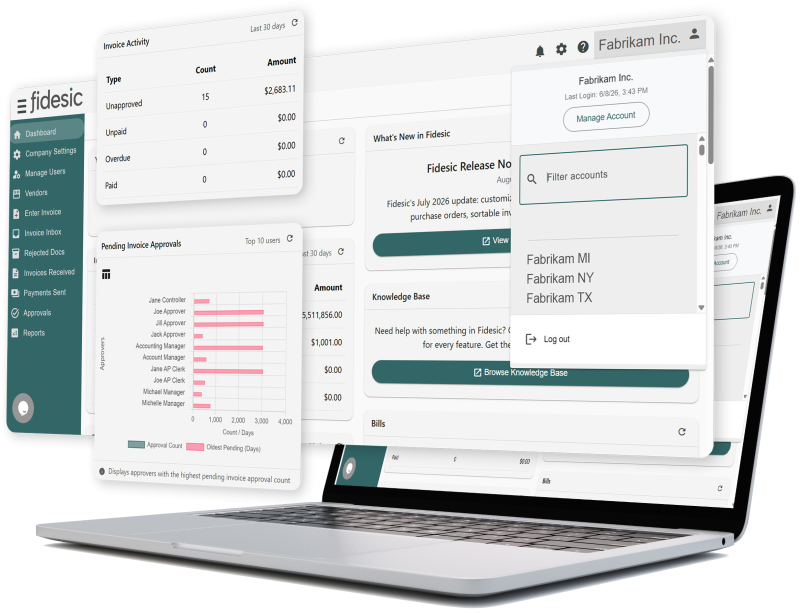
Built for Microsoft Dynamics GP & D365 Business Central
Fidesic AP Automation for Multi-Entity


FUN & GAMES DEPT.
Word Search: Microsoft Dynamics

Find these Words...
AUTOMATION
AZURE
CHATBOT
CLOUD
COPILOT
DYNAMICS
ERP
FINANCE
INVENTORY
LEDGER
MICROSOFT
NAVISION
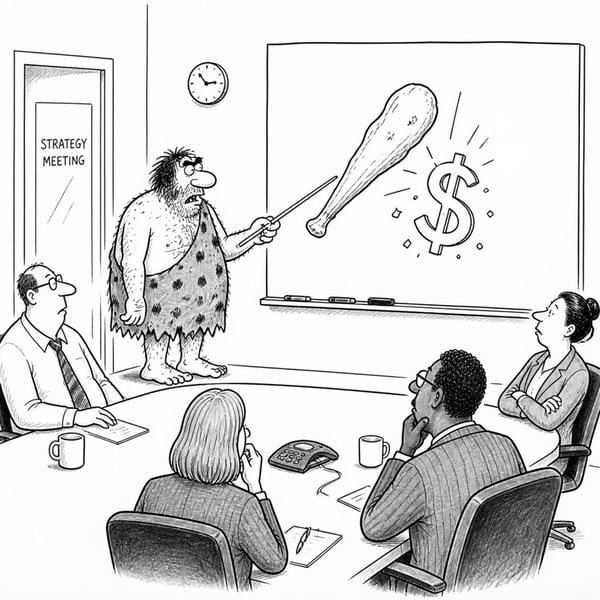
Bog’s budget plan was crude but brilliant.
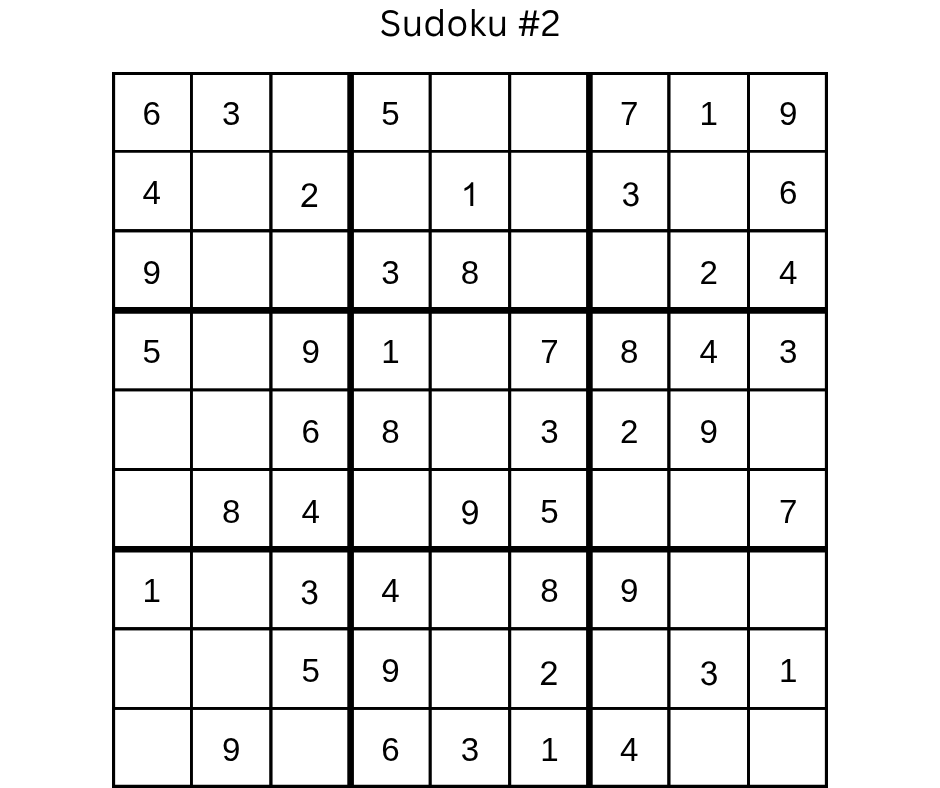
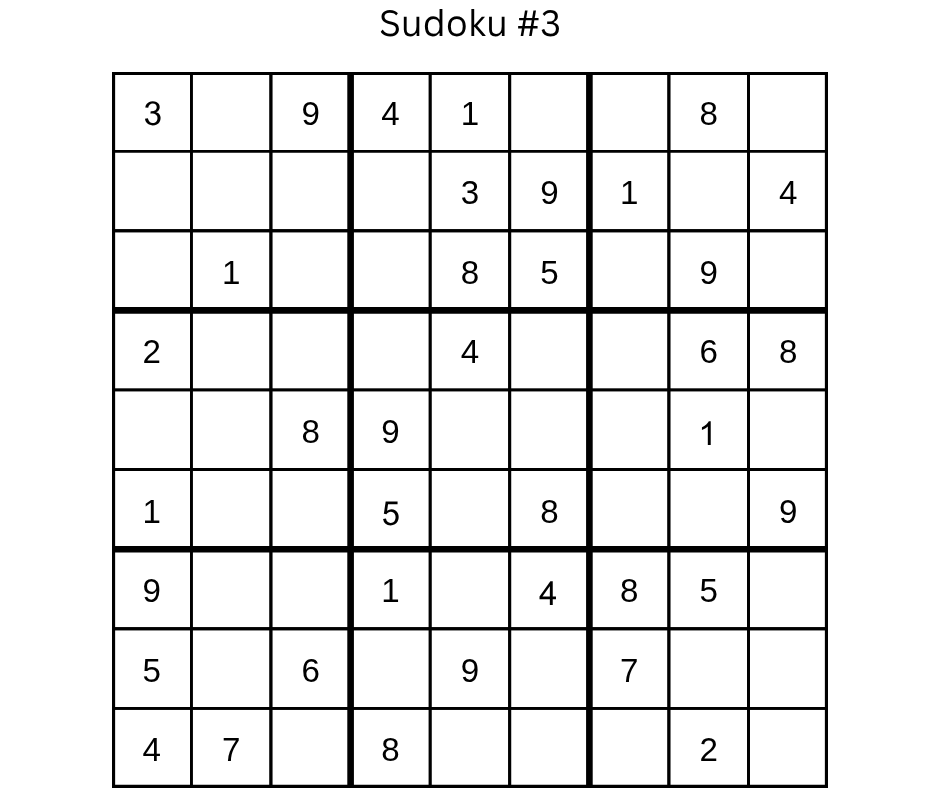
Sudoku
Instructions: Fill each 9x9 square in with numbers from 1-9 with no repeated numbers in each line, horizontally or vertically. Do not repeat any numbers within each of the smaller squares.


Accountant Trivia
Which author studied to be an accountant?
a. Stephen King
b. John Grisham
c. Patricia Cornwell
An accountant designed which iconic instrument?
a. The Fender Stratocaster
b. The Gibson Les Paul
c. The Steinway grand piano
Better Payables Start Here
We're here to guide you throughout your AP automation journey.